


You create a Project in ChatGPT, Claude, or Gemini. You upload your HR policies, email templates, sample job descriptions, tone-of-voice guidelines, and a few examples of outputs you particularly liked.
But the assistant is still unpredictable. The files are there. The model can access them. So what went wrong? You gave it a knowledge base. You did not give it instructions.

Excellent. The context is finally stored in one place.
Your prompts are not the main problem
When a Project has no stable instructions, you have to repeat the same requirements in every prompt:
Use our usual tone.
Keep the structure of the template.
Do not invent salary information.
Ask me if any details are missing.
Use the policy in the Project files.
And please do not turn this into a LinkedIn post.
Then you spend another two or three prompts correcting whatever the model misunderstood.
This is annoying, wastes context, and makes you spend more on tokens.
“But I don’t pay per token”
Even if you use ChatGPT Plus, Claude Pro, a corporate licence, or even a free version, tokens still matter. You may not receive a separate token invoice, but you are still working within usage limits and a finite context window.
Every unnecessarily long prompt consumes part of that allowance. Every repeated explanation takes up space the model could use for the actual task. And every clumsy correction adds more irrelevant context to the conversation.
So the cost is not always visible as money. Sometimes you pay with:
fewer useful messages before you hit a limit;
more time spent correcting avoidable mistakes;
a cluttered context window;
weaker outputs because the important instruction is buried under repeated explanations.
The practical question is not only how much this costs, but how much useful work you get from the tokens available to you.
A short instruction saved once is more efficient than repeating a slightly different version of the same rule in every prompt.
It saves tokens, preserves space in the context window, and gives the model a clearer signal about how it should behave.
Files provide knowledge. Instructions define behaviour.
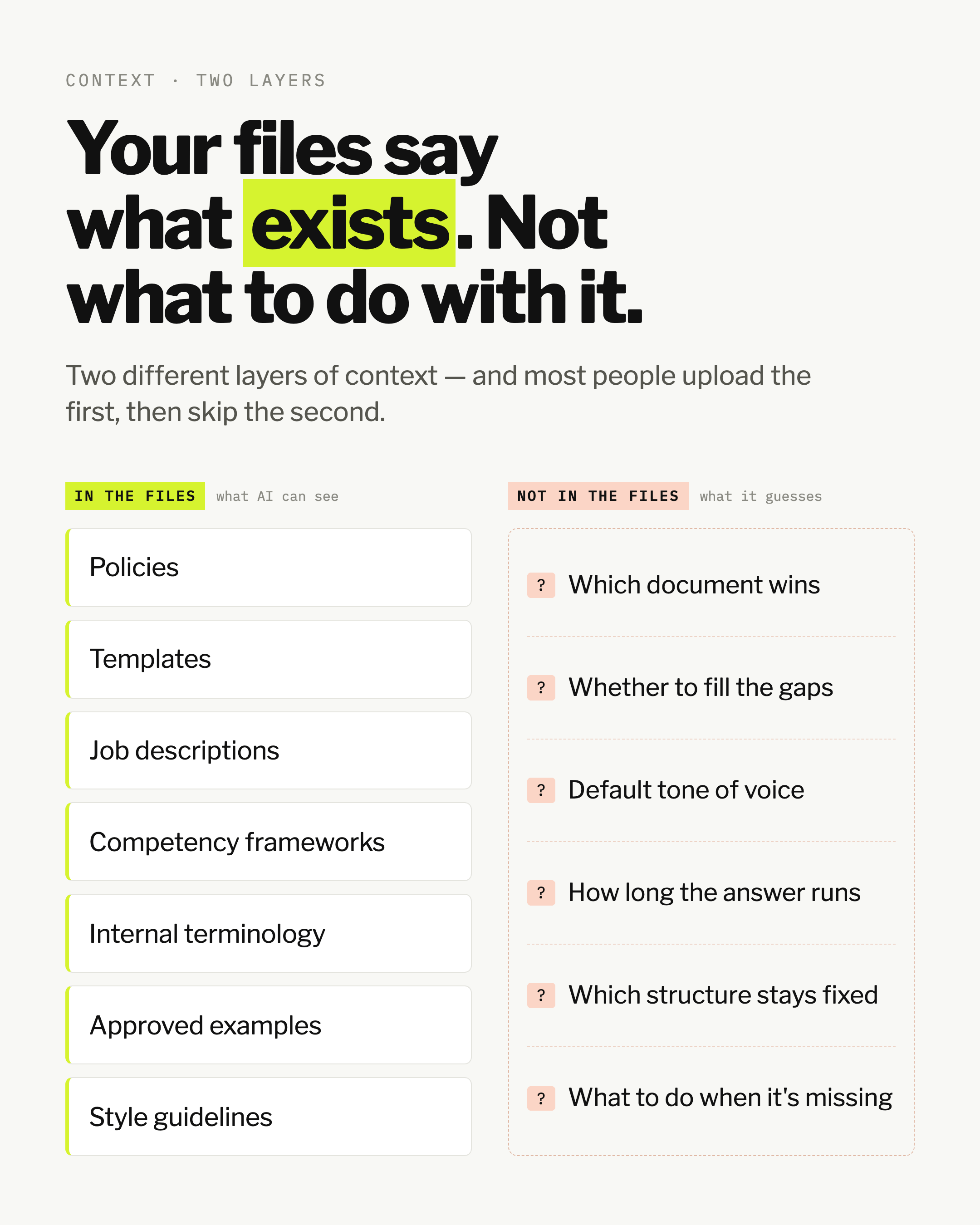
Sometimes it guesses correctly. Sometimes it produces an impressively polished answer that is completely wrong for your process.
That does not necessarily mean the model is unreliable. You may simply have given it the materials without explaining the rules.
Think of the instruction as a behavioural contract
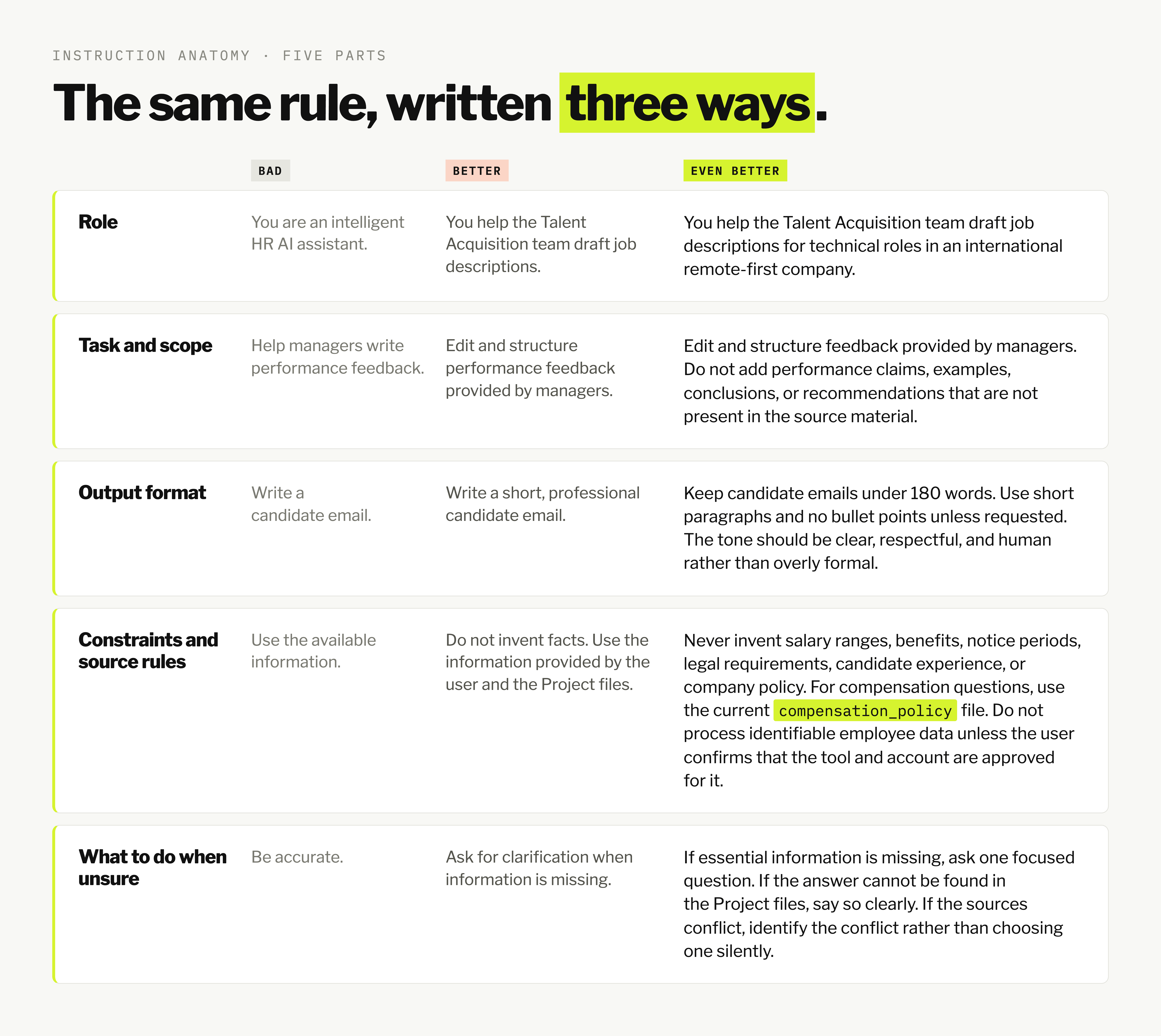
A Project instruction is a short contract explaining what the assistant does, how it does it, and where it must stop. For most HR use cases, it needs five blocks.
Do not build one universal HR assistant. Each function needs different sources, risks, output formats, and behavioural boundaries.Mix them together and your clean context becomes dirty context again.
Keep the instruction short. For a focused workspace, roughly 300 words is usually enough for a first version. Use this test for every line: Would the assistant regularly make a meaningful mistake without this instruction? If the answer is no, remove it.
This is a living instruction, not a museum piece. You should revise your instruction.
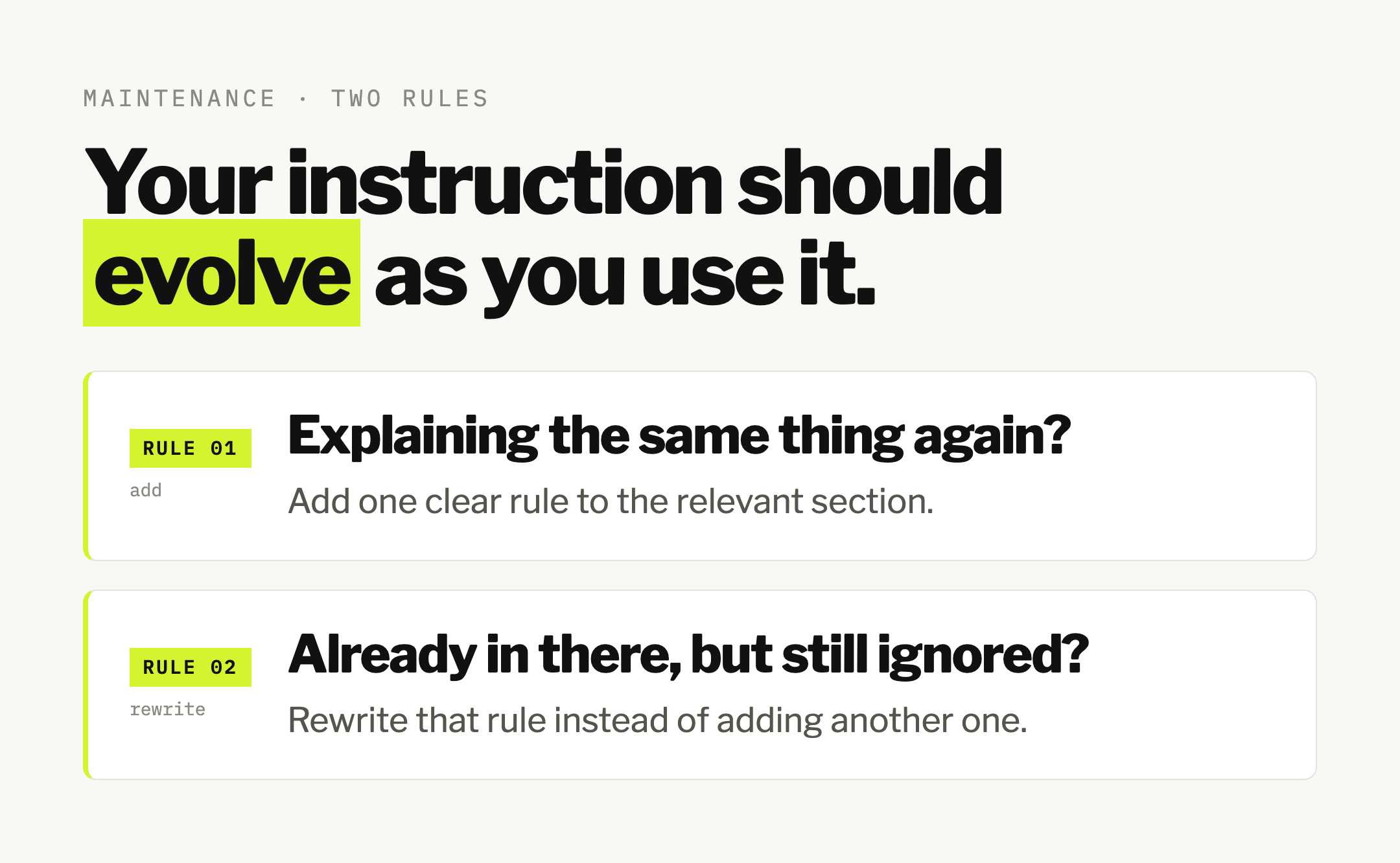
Two rules are enough to maintain it.
A five-blocks template for your HR Project
You could copy this into your Project instructions and adapt it to one recurring task. Claude Code users may recognise the same principle from CLAUDE.md: a stable file that tells Claude how to work inside a particular folder.
You do not need Claude Code to use the idea. The same behavioural contract can live in Project Instructions in ChatGPT, Claude, Gemini, or any other tool that supports reusable context.
## ROLE
You are [specific HR function]
You help with [specific task or process]
## TASK AND SCOPE
You do:
1. ...
2. ...
3. ...
You do not:
1. ...
2. ...
3. ...
## FORMAT
Default length: ...
Structure: ...
Tone: ...
Use / avoid: ...
<constraints>
Never invent: ...
Use only information provided by: ...
For questions about [topic], use the file: ...
Do not process or reproduce personal or sensitive data unless: ...
</constraints>
## IF UNSURE
If required information is missing: ...
If the answer cannot be found in the files: ...
If the documents contain conflicting information: ...
Scared of a blank page?
You do not have to write your Project instructions from scratch. Ask AI to interview you instead.
Ask me the questions you need to create Project instructions for candidate communications. Cover the role, scope, format, tone, source rules, personal-data restrictions, and what to do when information is missing.
You still need to review the result. You just do not have to start with an empty page.
What to do tomorrow
Open one of your current Projects. If it contains files but no separate instruction, add the five-blocks template. One or two sentences per block are enough for the first version.
What matters just as much is whether the model knows how you expect it to behave.
And unlike enterprise procurement, security reviews, and someone’s very strong opinion in a steering committee, this is one part of AI adoption you can fix yourself today.
In the next post, we’ll continue working on your Project instructions: what ## and <constraints> are doing there, why this kind of structure helps AI follow your rules, and how it can save you tokens, corrections, and time.
Subscribe so you do not miss it — and share this post with the colleague whose Project contains 27 files and absolutely no instructions.
And by the way,
“—” does not necessarily mean a text was written by AI.
Press Option + Shift + - on a Mac.
Or Alt + 0151 on Windows.
You’re welcome.
Now you’re AI too.